> For the complete documentation index, see [llms.txt](https://elastiflow.gitbook.io/docs/llms.txt). Markdown versions of documentation pages are available by appending `.md` to page URLs; this page is available as [Markdown](https://elastiflow.gitbook.io/docs/elastiflow-documentation/unified-flow-collector/riskiq-passivetotal.md).
# RiskIQ PassiveTotal
:::note RiskIQ PassiveTotal is in the process of becoming Microsoft Defender Threat Intelligence (MDTI). Until the ElastiFlow integration is fully available in MDTI, new users must continue to create an account in RiskIQ Passivetotal at . :::
### Overview
The ElastiFlow Unified Flow Collector provides the ability to enrich flow records with threat intelligence provided by the RiskIQ PassiveTotal service. There are two aspects to this integration: 1. An *enricher* which downloads the threat intelligence dataset from PassiveTotal and uses them to enrich flow records as they are processed; and 2. An output which sends public-side traffic observed by your network infrastructure to RiskIQ for analysis.
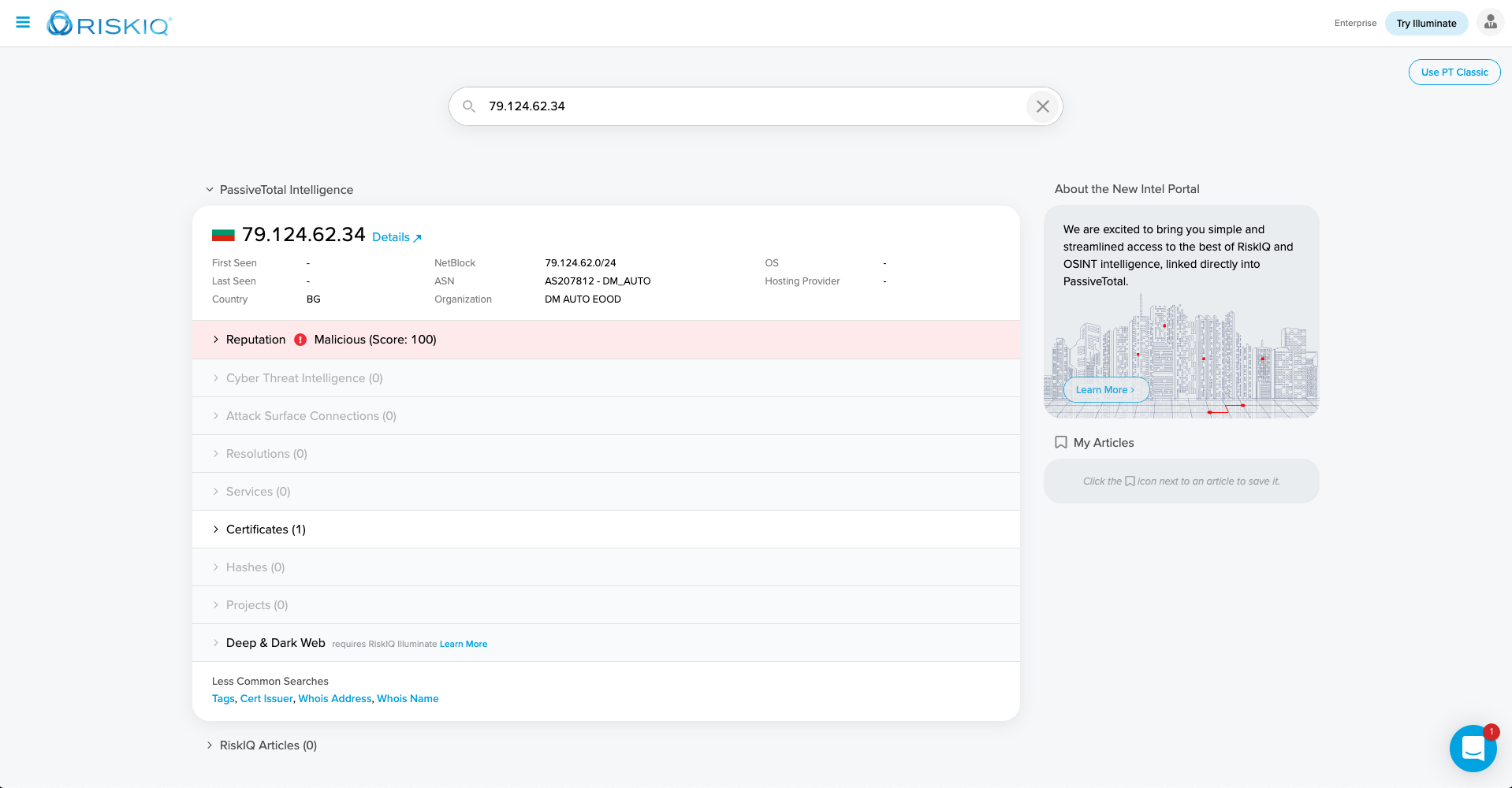
Threat intelligence from PassiveTotal can help you quickly identify threats and high-risk traffic in your environment.

You can also launch in-context to PassiveTotal from various ElastiFlow dashboards, or the security-related anomaly detectors provided for Elastic's Machine Learning features.
#### About RiskIQ
RiskIQ, the leader in attack surface management, provides a tailored view of the global internet attack surface and pinpoints security exposures most critical for an organization, all in one place. Trusted by security teams, CISO's, and more than 100,000 security analysts, RiskIQ merges cyber threats and critical asset intelligence for the most comprehensive discovery, intelligence, and mitigation of threats. Security teams use RiskIQ to expedite investigations, understand digital attack surfaces, assess risk, and protect the business, brand, and customers. Learn more at [www.riskiq.com](https://www.riskiq.com/).
#### About PassiveTotal
RiskIQ’s PassiveTotal aggregates data from the entire internet, absorbing intelligence from the global attack surface to identify threats and attacker infrastructure and leveraging machine learning to scale threat hunting and incident response. With the ElastiFlow PassiveTotal integration, your organization has outside-the-firewall context into the entities attacking you, their tools and systems, and indicators of compromise — enterprise and third party — all within your ElastiFlow deployment.
#### Data Transmitted to PassiveTotal
The following data is sent by the RiskIQ output to PassiveTotal.
| Attribute | Description |
| ----------------------- | ------------------------------------------------------------------------------ |
| flow start timestamp | timestamp (ms since epoch) of flow record start |
| flow end timestamp | timestamp (ms since epoch) of flow record stop |
| bytes | the ingress or egress bytes observed in the flow |
| packets | the ingress or egress packets observed in the flow |
| public source IP | If the source IP is private this attribute is empty |
| public source port | If the source IP is private this attribute is empty |
| public destination IP | If the destination IP is private this attribute is empty |
| public destination port | If the destination IP is private this attribute is empty |
| tcp flags | the integer value of the TCP flags |
| layer-4 protocol number | the integer value of the layer-4 protocol. e.g. 6 (TCP), 17 (UDP), etc. |
| community ID | The community ID according to |
:::note Only information about traffic to/from public IP addresses is transmitted to RiskIQ. No internal/private IP addresses are transmitted. :::
Prior to sending records to the PassiveTotal service, the data is encrypted using the customer-specific encryption key (see `EF_OUTPUT_RISKIQ_CUSTOMER_ENCRYPTION_KEY` below).
### Configuring the RiskIQ Integration
To use RiskIQ enrichment features it is necessary to register for a RiskIQ PassiveTotal account, as well as enable both the RiskIQ output and enrichment options. For a complete description of all RiskIQ configuration options, please refer to the Configuration Reference.
#### Creating a PassiveTotal Account
To create a PassiveTotal account, visit

After providing an email address and password, you will receive a confirmation email.

Click the activate button in the email to confirm you address.

Complete your account.

#### Get your API Key
You will need an API key to configure the RiskIQ enrichment features of the ElastiFlow Unified Flow Collector.

Find the *API Access* section an click *show*.

This is the value of *USER* will be used to configure `EF_PROCESSOR_ENRICH_IPADDR_RISKIQ_API_USER`. *KEY* will be used to set the value of `EF_PROCESSOR_ENRICH_IPADDR_RISKIQ_API_KEY`.

#### Get your RiskIQ Output Configuration
Find the *ElastiFlow Integration* within the *Integrations* section, and click `enable`.

You will see a pop-up which contains settings.

:::caution The above option names were deprecated in `6.0.0`. `_FLOW` is no longer part of the name. You MUST use the option names specified in the next section. :::
#### Configure the Collector's RiskIQ Output
For the RiskIQ Integration to function fully, both the RiskIQ output as well as the enrichment option MUST be enabled.
If using docker-compose to deploy the collector, you can paste the output settings directly into your `docker-compose.yml` file:
```yaml
#RiskIQ
EF_OUTPUT_RISKIQ_ENABLE: 'true'
EF_OUTPUT_RISKIQ_HOST: 'flow.riskiq.net'
EF_OUTPUT_RISKIQ_PORT: 20000
EF_OUTPUT_RISKIQ_CUSTOMER_UUID: '527dd194-a116-11af-8380-034aba1ce438'
EF_OUTPUT_RISKIQ_CUSTOMER_ENCRYPTION_KEY: 'twBovkmV8YIxx0QyulybZg=='
```
If using `rpm` or `deb` packages you would configure `/etc/systemd/system/flowcoll.service.d/flowcoll.conf` similar to this example:
```
Environment="EF_OUTPUT_RISKIQ_ENABLE=true"
Environment="EF_OUTPUT_RISKIQ_HOST=flow.riskiq.net"
Environment="EF_OUTPUT_RISKIQ_PORT=20000"
Environment="EF_OUTPUT_RISKIQ_CUSTOMER_UUID=527dd194-a116-11af-8380-034aba1ce438"
Environment="EF_OUTPUT_RISKIQ_CUSTOMER_ENCRYPTION_KEY=twBovkmV8YIxx0QyulybZg=="
```
#### Configure the Collector's RiskIQ Enrichment Features
A minimal configuration would be similar to the following example:
```yaml
EF_PROCESSOR_ENRICH_IPADDR_RISKIQ_THREAT_ENABLE: 'true'
EF_PROCESSOR_ENRICH_IPADDR_RISKIQ_API_USER: 'user@domain.com'
EF_PROCESSOR_ENRICH_IPADDR_RISKIQ_API_KEY: '0ff5abcdefdaf9ef12345675c4c11abcdef61bfe7ad1234568ec395bb288639'
```
By default the dataset will be downloaded daily (`1440` minutes). This can be configured by setting `EF_PROCESSOR_ENRICH_IPADDR_RISKIQ_THREAT_REFRESH_INTERVAL`.
:::note `60` minutes is the minimum refresh interval. The collector will fail with an error if either value is less than 60. :::
When the collector is started, you should see entries similar to the following in the logs, indicating that the RiskIQ dataset was downloaded and activated successfully. You will also see these logs when the dataset are refreshed at the configured interval:
```shell
{"level":"info","ts":1619704514.940934,"caller":"cached/riskiq_threat.go:64","msg":"RiskIQ Threats: Fetching Threat DB from enrichment API at https://api.passivetotal.org/v2/netflow/blocklist/download"}
{"level":"info","ts":1619704519.523495,"caller":"cached/riskiq_threat.go:85","msg":"RiskIQ Threats: received enrichment API response: 28762468 bytes"}
{"level":"info","ts":1619704522.2200677,"caller":"cached/riskiq_threat.go:143","msg":"RiskIQ Threats: DB successfully populated."}
```
The default timeout for API requests is `30` seconds. If a tineout occurs, you may see a log entry similar to the following:
```shell
1.6195132197217348e+09 error cached/riskiq_threat.go:82 RiskIQ Threats: failed to read the complete enrichment API response: context deadline exceeded (Client.Timeout or context cancellation while reading body)
github.com/elastiflow/flowcoll/decoder/nflow/cached.(*RiskiqThreat).populateDb
/root/go/src/github.com/elastiflow/flowcoll/decoder/nflow/cached/riskiq_threat.go:82
github.com/elastiflow/flowcoll/decoder/nflow/cached.(*RiskiqThreat).Run.func1
/root/go/src/github.com/elastiflow/flowcoll/decoder/nflow/cached/riskiq_threat.go:40
1.6195132197218025e+09 error cached/riskiq_threat.go:42 RiskIQ Threats: failed to initialize DB: context deadline exceeded (Client.Timeout or context cancellation while reading body)
github.com/elastiflow/flowcoll/decoder/nflow/cached.(*RiskiqThreat).Run.func1
/root/go/src/github.com/elastiflow/flowcoll/decoder/nflow/cached/riskiq_threat.go:42
```
If this occurs, the default timeout can be extended by setting `EF_PROCESSOR_ENRICH_IPADDR_RISKIQ_API_TIMEOUT`:
```yaml
EF_PROCESSOR_ENRICH_IPADDR_RISKIQ_API_TIMEOUT: 60
```
